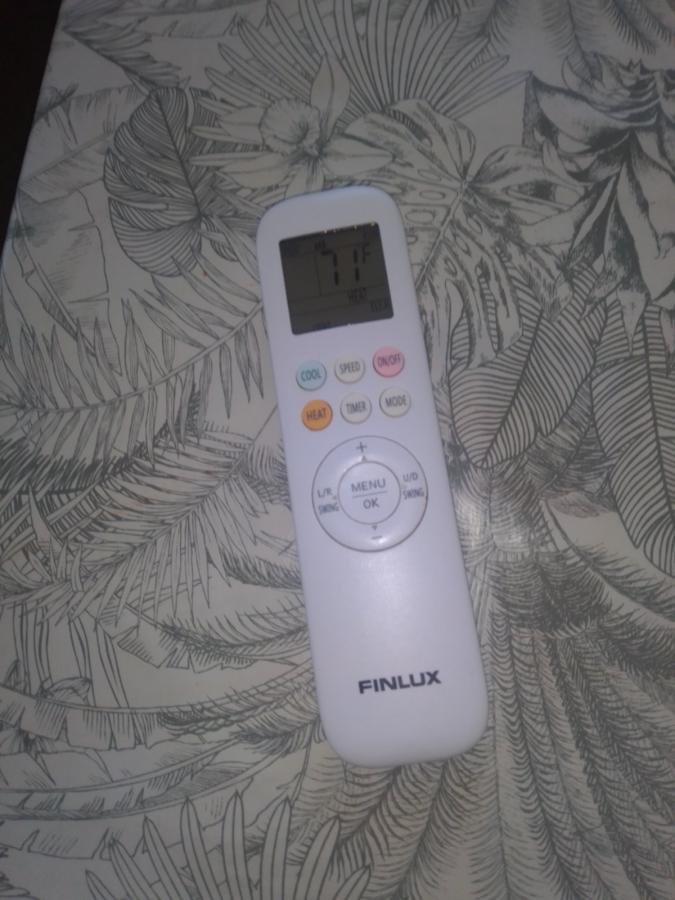
To change the temperature display on a Finlux AC remote control from Fahrenheit to Celsius, the method typically involves pressing a specific combination of buttons. Since the exact combination can vary depending on the specific model, here are the most common methods: Common Button Combinations
Try these combinations, holding the specified buttons simultaneously for about 3-5 seconds until the display changes:
Up and Down Temperature Arrows: Press and hold both the + and - buttons at the same time.
Mode Button Combinations: Try holding the MODE button along with either the + or - temperature button.
Specific Function Buttons:
Press and hold the FAN button.
Press and hold the DISPLAY button.
Press and hold the TURBO button.
Rapid Presses: Some models may require pressing the SLEEP button eight times in rapid succession.

 Новини
 Форум
Форум Актуално
 сървър
 2Одобрявам


 Отговор с цитат